Deep linking for iOS and Android
WarpLink deep links open the right screen on iOS and Android, with install attribution and real-time analytics.
What is deep linking?
Deep linking opens a specific screen inside a mobile app instead of a web page or the app's home screen. With WarpLink, one short link becomes a Universal Link on iOS, an App Link on Android, and a web destination on desktop, and we generate and host the association files both systems check, with a web fallback everywhere else.
How it works
- Deep linking, install attribution, and real-time analytics come from the same SDK, so one link opens the right screen, credits the install it caused, and shows the click in the dashboard within minutes.
- We read the user agent to tell iOS, Android, and desktop apart, and that decides where each visitor goes.
- We resolve each link from a cached copy of its configuration. If the cache misses, we read the link from the database, which holds every link as the source of truth.
- Clicks are recorded on a path separate from the redirect, so counting never delays the visitor.
How deep linking works with WarpLink
Register the app
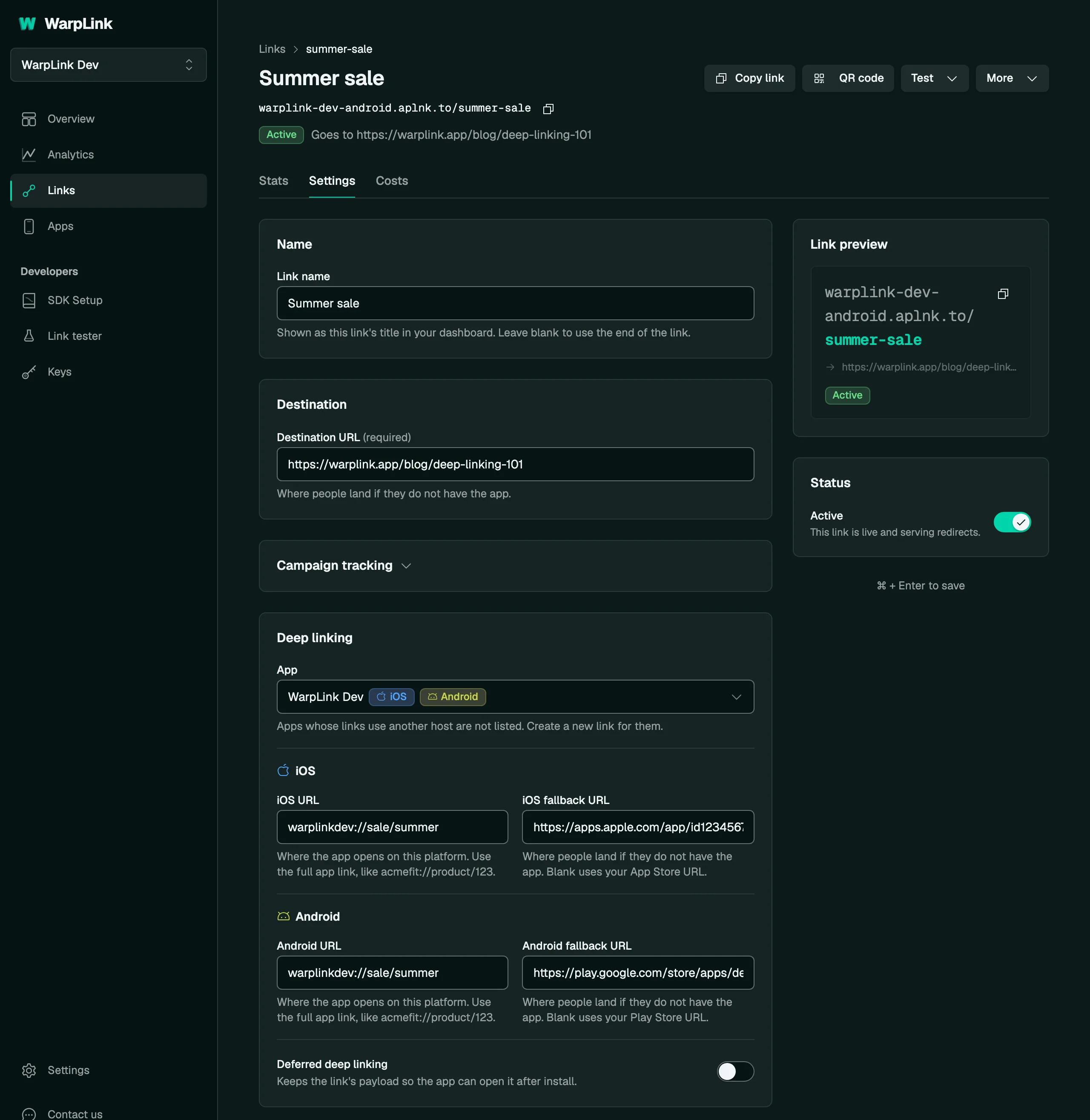
Register your iOS bundle ID and team ID, your Android package name and signing fingerprint, or both. WarpLink generates and hosts the association files iOS and Android check, so links you create for the app open it directly, and store fallbacks catch anyone who does not have it yet.
Create a link
Create a short link for the app in the dashboard, through the REST API, or from an AI client over the MCP server. Give it a destination URL and, if you want one, a custom slug. The link is live the moment you save it, and it counts clicks and renders social previews before the app SDK ships.
Ship the SDK
Add the SDK and call configure with your SDK key. It hands each incoming link to your router with the path and parameters intact, runs the deferred check on first launch, and reports the install back. Deep linking, install attribution, and analytics all come from that one call.
One SDK call
import WarpLink

WarpLink.configure(
    // SDK key from Keys > SDK
    apiKey: "wl_live_yoursdkkeyhere000000000000000000",
    options: WarpLinkOptions(onLink: { result in
        guard case .success(let deepLink) = result, let deepLink else { return }
        navigate(to: deepLink.destination)
    })
)WarpLink.configure(
context = this,
// SDK key from Keys > SDK
apiKey = "wl_live_yoursdkkeyhere000000000000000000",
options = WarpLinkOptions(onLink = { result ->
result.onSuccess { deepLink -> navigateTo(deepLink.destination) }
result.onFailure { error -> Log.e("WarpLink", error.toString()) }
})
)import { WarpLink } from '@warplink/react-native'
WarpLink.configure({
// SDK key from Keys > SDK
apiKey: 'wl_live_yoursdkkeyhere000000000000000000',
onLink: ({ deepLink }) => {
if (deepLink) navigateTo(deepLink.destination)
},
})import 'package:warplink_flutter/warplink_flutter.dart';
// Call from your root widget's initState
WarpLink.configure(
// SDK key from Keys > SDK
apiKey: 'wl_live_yoursdkkeyhere000000000000000000',
onLink: (event) {
if (event is LinkEvent) {
navigateTo(event.deepLink.deepLinkUrl ?? event.deepLink.destination);
}
},
);Specifications
- Platforms
- iOS 15 and later, Android API 26 and later, React Native 0.75 and later, and Flutter 3.38 and later.
- SDK releases
- The iOS, Android, React Native, and Flutter SDKs are all at version 1.2.0, open source under the MIT license.
- In-app opens
- Taps that open the app directly are counted as in-app opens.
- Fallbacks
- Visitors without the app go to the link's fallback URL for their device, or to the app's store URL when the link has none.
- Link previews
- Known bots, such as social media crawlers, get a preview page with Open Graph tags and never count as clicks.
- Association files
- The association files are regenerated whenever an app changes, on our link domains and on every verified custom domain.
- App registration
- Register your app once, then a destination URL is all a link needs, so you can share it and read the clicks before you finish the SDK integration.
- Plans
- Free includes every feature. Plans start at Free ($0, 10K clicks a month) and run through Starter ($19), Growth ($49), and Scale ($99) to Unlimited ($149, no click ceiling).
- Sub-10ms redirects
- 300+ edge nodes
- Never blocked
- Open source SDKs
300+ is the edge network's published node count. How we measure sub-10ms.
Common questions
Do I need an app to start?
Yes. Registering an app comes first, because it is what lets a link open your app: it takes a bundle ID or package name, and WarpLink generates and hosts the association files iOS and Android check. After that, a destination URL is all a link needs, and you can share it and read the clicks before the SDK ships in a release.
Do Universal Links and App Links both work from one link?
Yes. One short link serves everyone: it is a Universal Link on iOS and an App Link on Android, so a verified app opens straight from the tap. Visitors without the app and desktop browsers reach the edge, where WarpLink detects the device and answers with a single redirect to the store, the fallback, or your web destination, so you never maintain one link per store or per campaign.
Who hosts the AASA and assetlinks.json files?
WarpLink does. The apple-app-site-association file and assetlinks.json are generated when you register an app and regenerated whenever you change its configuration, on your app's link domain and on every verified custom domain. Your side is the Associated Domains entitlement on iOS and the App Links intent filter on Android.
Can I use my own domain?
Yes. Point a subdomain such as go.yourapp.com at WarpLink with two DNS records, and the HTTPS certificate is issued and renewed for you. Every organization can run one custom domain free for 90 days (about 3 months), and paid plans carry 3 domains on Starter up to unlimited on the $149 Unlimited plan. The plans are at warplink.app/pricing.
What happens when someone taps a link without the app?
They go to the fallback URL you set on the link for iOS or Android, and to your app's store URL when the link has none, so no tap is wasted. When they install and open the app, deferred deep linking hands them the destination the original link named, with a confidence score attached. That part is covered at warplink.app/deferred-deep-linking.
The link layer your app is missing.
Set up deep linking, attribution, and analytics in minutes. Free to start.
Have a question?