Install attribution from the links you already share
WarpLink credits installs to the clicks that drove them, with a confidence score, beside deep linking and analytics.
What is install attribution?
Install attribution connects an app install, or a re-open, to the link click that drove it, so you can see which link, campaign, or creator earned each install. WarpLink matches on a referral invitation token, the Play Install Referrer, a device identifier, a probabilistic match, or raw device signals, and returns a confidence score with every answer.
How it works
- The result reaches your app in seconds on first launch, with no advertising identifier and no App Tracking Transparency prompt. The same SDK also provides deep linking and real-time analytics.
- iOS needs no click ID through the store: the match uses the signals above. On Android, the Play install referrer carries the link ID when the store passes it on.
- The server walks the match cascade in order: invitation token, referrer, device ID (IDFV), probabilistic match, raw signals. The first successful match wins, and each result says whether its evidence is exact or estimated.
- Credit a referral: mark a link as a referral link, claim it after sign-up from the app or your backend, and receive a signed webhook to grant the reward.
How install attribution works
Share a link
Share your short link in an email, a post, a QR code, or a referral. The redirect records the click along with the signals it can see: the address the request came from, the device language, and the timezone. The visitor carries on to your app, to your fallback URL, or to the store. No SDK is involved yet.
The visitor installs
Android can hand the answer over intact: when the destination is a Play Store URL, the Play Store carries the install referrer through the install, which makes that match exact. On iOS the click stays claimable for the window you set on the link, from 1 to 24 hours (6 by default).
The SDK reports first launch
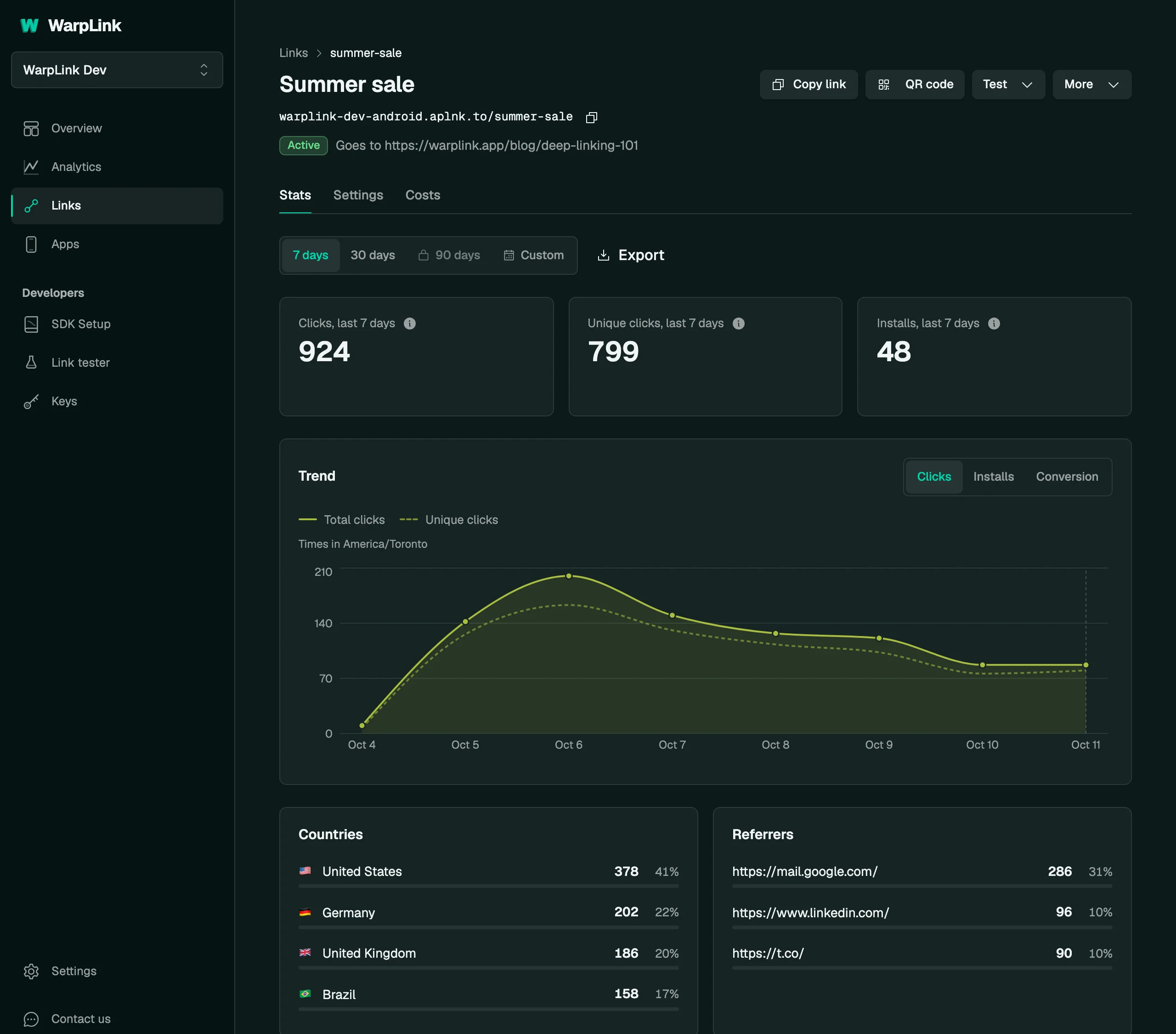
On first launch the SDK sends the signals it can gather, and the server walks the cascade in order: invitation token, referrer, device identifier, probabilistic match, then raw signals. The first hit wins and returns a match type and a confidence score, and the install shows up against that link in your dashboard.
One SDK call
if let attribution = WarpLink.attributionResult {
    let confidence = attribution.matchConfidence ?? 0

    if attribution.matchGuaranteed || confidence > 0.5 {
        navigate(to: attribution.destination)
    } else {
        showOnboarding()
    }
}
val attribution = WarpLink.attributionResult
if (attribution != null) {
val confidence = attribution.matchConfidence ?: 0.0
if (attribution.matchGuaranteed || confidence > 0.5) {
navigateTo(attribution.destination)
} else {
showOnboarding()
}
}import { WarpLink } from '@warplink/react-native'
const attribution = await WarpLink.getAttributionResult()
if (attribution) {
if (attribution.matchGuaranteed || attribution.matchConfidence > 0.5) {
navigateToLink(attribution.linkId)
} else {
showOnboarding()
}
}import 'package:warplink_flutter/warplink_flutter.dart';
final attribution = await WarpLink.getAttributionResult();
if (attribution != null) {
if (attribution.matchGuaranteed || attribution.matchConfidence > 0.5) {
navigateToLink(attribution.linkId);
} else {
showOnboarding();
}
}Specifications
- Match scores
- Exact matches score 1.0. Every probabilistic match returns a confidence score, up to 0.85.
- Match window
- Set the match window per link, from 1 to 24 hours (6 by default).
- SDK key
- The SDK needs an SDK key. An API key cannot record installs.
- Measured accuracy
- Of 309 matched installs, 303 went to the correct link (98.1 percent) in our October 2026 device test, and Play Store installs matched 30 of 30.
- Channels
- Every WarpLink link, wherever you place it: social, ads, creators, email, QR codes, referrals, and organic search.
- Plans
- Free includes every feature. Plans start at Free ($0, 10K clicks a month) and run through Starter ($19), Growth ($49), and Scale ($99) to Unlimited ($149, no click ceiling).
Read how install attribution works in the docsPlans and pricing
- Sub-10ms redirects
- Never blocked
- Open source SDKs
- MCP server, free on all plans
300+ is the edge network's published node count. How we measure sub-10ms.
Common questions
Does it work without App Tracking Transparency?
Yes, and it never asks for the prompt. There is no advertising identifier anywhere in the cascade: no IDFA on iOS and no GAID on Android. Exact matches come from the Play Install Referrer on Android and from a referral invitation on iPhone, where the person taps the system paste control after the App Store install. On iOS the identifier for vendor, which is scoped to your own apps and exempt from App Tracking Transparency, recognizes an install asking again. The probabilistic tier compares the request address, the device language, and the IANA timezone name, stored only as a one-way hash.
What do the confidence levels mean?
A score from 0.0 to 1.0 built from the match's signal type and how much time passed since the click. An exact install match, from the Play Install Referrer on Android or a referral invitation on iPhone, always scores 1.0 and reports matchGuaranteed. The strongest probabilistic matches, within the first hour of the click, score 0.85.
Can I run a referral or invite program?
Yes. Mark a link as a referral link, and WarpLink credits the install to it. Your app calls claimReferral after sign-up, or your backend posts the claim, and you get a signed referral.claimed webhook to grant the reward. Referral crediting is included on every plan. See the referrals guide at warplink.app/docs/guides/referrals.
Can I read attribution through the API and MCP?
Your app gets the attribution result on first launch and can act on it in code, and the dashboard shows the installs each link earned. Install records and every attribution attempt are readable through GET /v1/installs and GET /v1/attribution/attempts with an API key, and through the MCP tools list_installs and list_attribution_attempts. Over the MCP server an AI client can read a link's click analytics with either the analytics:read or the links:read scope, free on every plan and sharing the REST API limit of 60 requests a minute. The attribution endpoint itself belongs to the SDKs: it takes an SDK key, and an API key is rejected. The plans are at warplink.app/pricing.
The link layer your app is missing.
Set up deep linking, attribution, and analytics in minutes. Free to start.
Have a question?